The phrase call center often creates an image of a huge room filled with hundreds of agents wearing headsets. That is one kind of call center, but it is not the only kind.
A five-person customer-service team can function like a call center. So can an HVAC company with two dispatchers, a medical office with a busy front desk, a property-management company handling tenant calls or a law firm separating new-client inquiries from existing matters.
The defining issue is not the size of the room or the number of employees. It is whether your business receives enough calls—or handles calls with enough complexity—that basic ringing and voicemail no longer provide the control you need.
Modern cloud phone systems can add call queues, routing rules, agent statuses, supervisor tools and reporting without forcing a small business to purchase a massive enterprise contact-center platform. The right configuration can help callers reach the right person, give employees a manageable workflow and show managers what is actually happening when the phones get busy.
This guide explains what those features do, when they become useful and how to decide whether your business needs them.
What Is a Business Call Center?
A business call center is a structured way to receive, distribute, monitor and measure a volume of calls across a team.
Instead of every incoming call simply ringing one receptionist or several phones at once, the system can place callers into queues, route them according to business rules, show employees which callers are waiting and collect statistics about how calls were handled.
That does not necessarily require separate call-center software. Many small and midsize organizations can add the capabilities they need to the same cloud business phone system their employees already use.
The important question is not, “Are we large enough to call ourselves a call center?” It is:
Would better routing, visibility and accountability improve the way we handle customer calls?
If the answer is yes, call-center features may be appropriate even for a relatively small team.
Business Phone System, Ring Group, Call Queue or Contact Center?
These terms are often used interchangeably, but they describe different levels of functionality.
Standard business phone system
Provides extensions, voicemail, transfers, auto attendants and basic routing
Organizations with relatively simple call flows
Ring group
Rings several employees in a defined pattern
Small teams where almost any available person can answer
Call queue
Holds and distributes calls while tracking callers, agents and wait times
Teams handling recurring or higher inbound volume
Call-center configuration
Combines queues with agent controls, supervisor tools, thresholds and reporting
Sales, dispatch, service and support teams that need active management
Full contact-center platform
Coordinates voice with channels such as email, web chat, social messaging and ticketing
Organizations needing complex omnichannel operations
Tier 1 Telecom can configure business calling, ring groups, advanced queues, monitoring and reporting based on the supported platform and the needs of the organization. Features such as predictive outbound dialing, workforce management, ticketing and full omnichannel orchestration should not be assumed merely because a system includes inbound call queues.
That distinction matters. A business should not pay for an enterprise contact-center platform when a carefully designed queue and reporting configuration would solve the actual problem.
Signs Your Business May Need Call-Center Features
Call-center tools become valuable when the current phone workflow starts hiding problems or creating inconsistent customer experiences.
Common signs include:
- Callers regularly wait on hold without knowing what will happen next.
- Customers hang up because nobody answers quickly enough.
- One receptionist becomes the bottleneck for every department.
- Employees cannot tell which calls have been waiting the longest.
- Managers do not know how many calls were missed or abandoned.
- New sales inquiries need different handling than customer-support calls.
- Calls should reach employees based on skills, language, department or location.
- The business experiences predictable peaks by hour, day or season.
- Remote employees need to participate in the same customer-service workflow.
- Supervisors need tools for coaching, quality review or escalation.
- Nobody can answer a basic question such as, “How long do callers usually wait?”
You may also have a call-center problem without having especially high call volume. Twenty important calls routed poorly can be more damaging than two hundred routine calls handled well.
Ring Groups Versus Call Queues
The difference between a ring group and a call queue is one of the most important decisions in business phone-system design.
What a ring group does
A ring group sends an incoming call to a defined set of users. It might ring everyone simultaneously or follow an ordered pattern.
Ring groups work well when:
- Call volume is modest.
- Calls are normally answered quickly.
- Almost any member of the group can help.
- The business does not need detailed queue statistics.
- Callers do not regularly wait for an employee to become available.
For example, a small office may ring the receptionist, office manager and one backup employee at the same time. Whoever is available answers.
What a call queue adds
A call queue can hold callers until an appropriate employee becomes available. While they wait, the system can play a greeting, music or informational messages and apply routing or overflow rules.
Depending on the approved configuration, a queue may also provide:
- Estimated wait or position-related information
- Callback options
- Maximum queue-length controls
- Maximum wait-time controls
- Different routing priorities
- Agent login and status controls
- Real-time caller and agent visibility
- Answered, missed and abandoned-call reporting
- Supervisor monitoring and coaching tools
A queue is not automatically better. It adds structure and information, but it also requires decisions about staffing, wait times, greetings, overflow and reporting. A poorly designed queue can keep callers waiting longer than a simple ring group would.
How Smart Call Routing Works
The routing method determines which employee receives the next call. Different teams need different strategies.
Ring all
Every available agent rings at the same time. This can produce fast answers for a small team, but it can also create noise and interrupt employees who are not responsible for every call.
Round robin
Calls rotate among agents, distributing opportunities or workload more evenly. This can be useful for sales teams or groups where each employee performs a similar role.
Longest idle
The next call goes to the available agent who has gone the longest without receiving one. This can balance workload without following a rigid order.
Linear cascade
The system begins with one person or group and adds other employees after defined timeouts. This works well when primary employees should have the first opportunity to answer but backups need to become involved if the call waits.
Skills-based routing
Calls can be directed toward employees with particular skills, responsibilities or language capabilities. A caller asking for billing should not necessarily follow the same route as a new sales inquiry or urgent service request.
Priority routing
Certain queues or caller types may receive a higher priority. This should be designed carefully so lower-priority callers are not left waiting indefinitely.
Time-based routing
Calls can follow different paths during business hours, lunch, evenings, weekends and holidays. A good call-center plan includes each of these periods rather than treating “open” and “closed” as the only possibilities.
The routing strategy should reflect how the business actually works. Choosing “round robin” because it sounds fair is not enough if one employee handles billing, another speaks Spanish and a third is responsible for emergencies.
Agent Controls That Keep the Queue Organized
A call queue becomes much more useful when the system understands which employees are ready to receive calls.
Agent status
An agent may be available, unavailable, at lunch, in a meeting or completing work from the previous call. Custom statuses can help supervisors understand whether a person is temporarily occupied or truly offline.
Login and logout
Employees can be added to a queue without necessarily receiving queue calls every moment of the day. Login controls allow appropriately authorized agents to enter or leave the active rotation.
Wrap-up time
Many calls require follow-up notes, scheduling, documentation or another task. Wrap-up time creates a short protected period before the next queue call arrives.
Too little wrap-up time can produce incomplete records. Too much can leave customers waiting while employees remain unavailable. The right setting depends on what the team must accomplish after each conversation.
Maximum simultaneous calls
The system can limit how many active calls an employee or queue should handle. This prevents a configuration from sending more conversations to an agent than the workflow supports.
Missed-call behavior
An agent who repeatedly does not answer can be logged out or marked unavailable so the queue stops offering that person additional calls. This prevents a phone at an empty desk from slowing down the entire queue.
Queue priority for agents
An employee may participate in multiple queues but have different responsibilities in each one. The configuration can favor a person’s primary queue while still allowing that employee to help elsewhere when needed.
What Happens When Every Agent Is Busy?
This is where a well-designed queue earns its value.
A complete plan should answer:
- How many callers may wait?
- How long should they wait?
- What should they hear while waiting?
- Should the caller be offered a callback?
- Should additional employees join after a certain time?
- Should the call overflow to another office or outside answering resource?
- Should the call go to voicemail?
- What happens if the office loses internet or power?
Common queue controls include:
Maximum expected wait time
If the anticipated wait becomes unreasonable, the system can offer another destination or response instead of allowing the caller to remain indefinitely.
Maximum queue length
A business can limit how many calls are waiting in a particular queue. Reaching that limit should trigger an intentional overflow plan.
Queue ring timeout
This controls how long the overall queue attempts to deliver a call before using its fallback destination.
Agent ring timeout
This determines how long an individual employee’s phone rings before the queue tries someone else.
Callback
Where supported and configured, a caller may request a callback instead of remaining on hold. Callback behavior must be explained and tested so customers understand what to expect.
Overflow routing
Calls can move to backup employees, another location, an answering service, voicemail or an optional AI voice agent based on the approved design.
The worst plan is an endless queue with no clear escape. A customer who has already waited should never feel trapped by the phone system.
Supervisor Tools: Listen, Whisper and Barge
Supervisors may need to observe or assist with live calls for training, quality control and escalation. These permissions should be limited to appropriate roles and used under clear company policies.
Listen
The supervisor can hear the agent and caller without participating in the conversation.
Whisper
The supervisor can speak privately to the agent while the caller does not hear the coaching.
Barge
The supervisor joins the call and can speak with both participants. This can help when an employee needs immediate assistance or a conversation must be escalated.
Call recording
Recordings can support training, quality review and confirmation of important details. Recording is not merely a technical switch, however. Businesses need policies covering consent, access, retention, sharing and deletion.
Laws differ by jurisdiction and circumstance. Florida law regulates the interception and disclosure of wire, oral and electronic communications, and businesses should obtain appropriate legal guidance before recording or monitoring calls. See Florida Statutes Section 934.03.
Tier 1 Telecom can help configure supported technical features, but the business remains responsible for determining its legal, contractual and industry-specific obligations.
The Call-Center Metrics That Actually Matter
Reports are only useful when they answer operational questions. A dashboard full of numbers is not a strategy.
Callers waiting
How many callers are currently in the queue? Real-time visibility can help a manager move available employees into the queue before wait times become excessive.
Average wait time
How long does a caller typically wait before an agent answers? Averages should be reviewed alongside peak periods because a reasonable daily average can hide a serious lunchtime or Monday-morning problem.
Abandon rate
What percentage of callers disconnect before reaching an employee? An abandoned call is not automatically a lost customer—some calls disconnect quickly or are accidental—but a rising pattern can indicate inadequate staffing, poor routing or excessive hold time.
Calls answered
How many calls reached an agent? Compare this with offered and abandoned calls to understand the overall workload.
Average handling time
How long does an average conversation take, including any defined after-call work? A longer handling time is not inherently bad. Complex customer needs may require longer conversations.
Call volume by hour and day
When do calls arrive? This information can guide lunch schedules, shift coverage, seasonal staffing and overflow rules.
Agent availability
How much time are employees available, unavailable or completing wrap-up work? This can reveal workflow problems, but it should be interpreted in context rather than used as a simplistic productivity score.
Queue and disposition results
Which department received the call, and what happened afterward? Disposition codes can identify sales inquiries, service requests, billing questions, appointments and other outcomes when employees use them consistently.
The purpose of reporting should be to improve staffing, routing, training and customer experience—not to reward the shortest conversations regardless of quality.
Practical Call-Center Examples
HVAC and home-service company
The main number can route new service calls to dispatch, billing questions to the office and after-hours emergencies to the on-call technician. When dispatchers are busy, calls can wait in a queue, overflow to trained backup employees or follow an approved after-hours path.
Reports can show when seasonal demand peaks and whether callers abandon during the busiest periods.
Medical or professional office
An auto attendant or receptionist can separate appointments, billing, records and other caller needs. Queues can help prevent every caller from depending on one front-desk employee.
Any recording, privacy or regulated-data requirements must be evaluated before deployment.
Property-management company
Tenant maintenance, leasing inquiries, owner calls and emergencies may require different routing. Priority and time-based rules can keep urgent requests from following the same path as routine questions.
Law firm
New-client inquiries can follow a defined intake path while existing clients reach the appropriate legal team or staff member. Reporting can show how many prospective-client calls were answered, abandoned or sent to voicemail without exposing confidential details in general dashboards.
Multi-location business
Several offices can share centralized reception or queue resources while preserving location-specific numbers and routing. If one location becomes overloaded, another approved team may help answer.
Sales team
Round-robin or longest-idle routing can distribute new opportunities. Disposition codes and CRM integrations may help the business track whether a call produced an appointment, follow-up task or qualified lead.
Can Call-Center Agents Work Remotely?
Yes, when the system, network and company policies support it. An authorized employee may be able to answer through a desk phone, desktop application, web phone or mobile application while participating in the same queue as office-based coworkers.
Remote agents need stable internet, suitable audio equipment and an appropriate work environment. They also need an outage plan.
One commonly overlooked detail is mobile Wi-Fi behavior. If office or home internet fails while a smartphone remains connected to that Wi-Fi network, the Wi-Fi signal may still appear active even though it has no internet access. The VoIP mobile application will not regain connectivity until the user disconnects from Wi-Fi or switches the phone to working cellular data.
For broader continuity planning, read What Happens If the Internet Goes Down?.
Do Small Businesses Need Separate Call-Center Software?
Often, no.
A small business may only need:
- One or two call queues
- A clear routing strategy
- Agent availability controls
- Overflow and after-hours rules
- Basic supervisor permissions
- Useful call reports
These capabilities may be available within the same managed VoIP platform used for desk phones, mobile applications, voicemail and business texting.
A separate enterprise contact-center platform becomes more appropriate when the organization needs capabilities such as complex omnichannel routing, sophisticated workforce management, large outbound campaigns, ticketing, advanced quality management or specialized compliance functions.
The goal is not to purchase the largest feature list. It is to create a calling workflow that matches the size and complexity of the business.
Questions to Answer Before Configuring a Business Call Center
Use this checklist during planning:
- How many employees regularly answer incoming calls?
- Which departments or call types need separate queues?
- Can any employee answer any call, or are specialized skills required?
- Should phones ring simultaneously or follow an ordered strategy?
- How long should an agent’s phone ring?
- How long should a caller be expected to wait?
- What should callers hear while waiting?
- Should callers receive a callback option?
- What happens when the queue reaches its limit?
- Who provides backup during lunch, meetings or peak demand?
- What happens after hours, on weekends and during holidays?
- Can remote or mobile employees participate?
- Do supervisors need listen, whisper or barge permissions?
- Is call recording appropriate and legally reviewed?
- Which reports will managers actually use?
- Should calls create CRM records or follow-up workflows?
- What is the internet, power and network-failure plan?
These answers should drive the configuration. The system should not force the business into a generic call flow.
Business Call Center FAQs
What is the difference between a call queue and a ring group?
A ring group rings several employees in a defined pattern. A call queue can hold callers, track their wait, apply routing and overflow rules, manage agent availability and produce more detailed reports.
How many employees do you need before using call-center features?
There is no minimum that fits every business. A team of three to five people may benefit if it receives important or time-sensitive calls, experiences recurring call spikes or needs better visibility. Call complexity matters as much as employee count.
Can an employee belong to more than one queue?
Yes, where supported and configured. An employee might primarily handle service calls while also serving as a backup for general reception. Queue priorities and availability rules should prevent that arrangement from becoming disruptive.
Can agents answer calls from home?
Supported desk phones, desktop applications, web phones or mobile applications may allow authorized remote employees to participate. Reliable internet, appropriate equipment, security policies and outage procedures remain necessary.
What happens when every agent is busy?
The queue can hold callers and apply greetings, wait limits, callback options or overflow rules. The approved design may send the call to backup employees, another location, voicemail, an answering resource or an AI voice agent.
Can supervisors listen to employee calls?
Supported monitoring tools may include listen, whisper and barge modes. Access should be restricted, documented and used in accordance with applicable laws and company policies.
Is call recording legal?
Recording laws depend on the jurisdictions, circumstances and type of communication involved. Businesses should obtain appropriate legal guidance and establish consent, access, retention and disclosure policies before enabling recording.
Do call-center features require new phone numbers?
Not necessarily. Eligible existing business numbers can often be ported and routed into the new system. Tier 1 reviews the account and number information before the transfer process. Learn more about keeping your existing business phone numbers.
How much does a small-business call-center system cost?
Pricing depends on the number of users, phones, queues, advanced features, reporting, recording, integrations and support requirements. Review how much a business phone system costs or request a bill review based on your actual environment.
Is a call center the same as a contact center?
Not always. A call center primarily focuses on voice calls. A contact center may coordinate voice with email, chat, social messaging, ticketing and other channels. Some platforms overlap, but the terms should not be treated as guarantees of identical capabilities.
Build the Call Flow Around Your Business
The best business call center is not the one with the largest dashboard. It is the one that helps customers reach the right person, gives employees a workable process and provides managers with information they can use.
Tier 1 Telecom can review your existing phone bill, call flow, users, business hours and customer-service challenges. We can then help determine whether your organization needs a simple ring group, structured call queues or more advanced call-center capabilities.
Explore Tier 1 Telecom business phone systems or contact Tier 1 Telecom to start the conversation.
You can also run the VoIP Readiness Assessment to evaluate whether your current internet connection is ready to support cloud calling.
FREE BUSINESS RESOURCE
Test Your Internet for Business Phone Systems
Wondering whether your Internet connection is ready for cloud business phones?
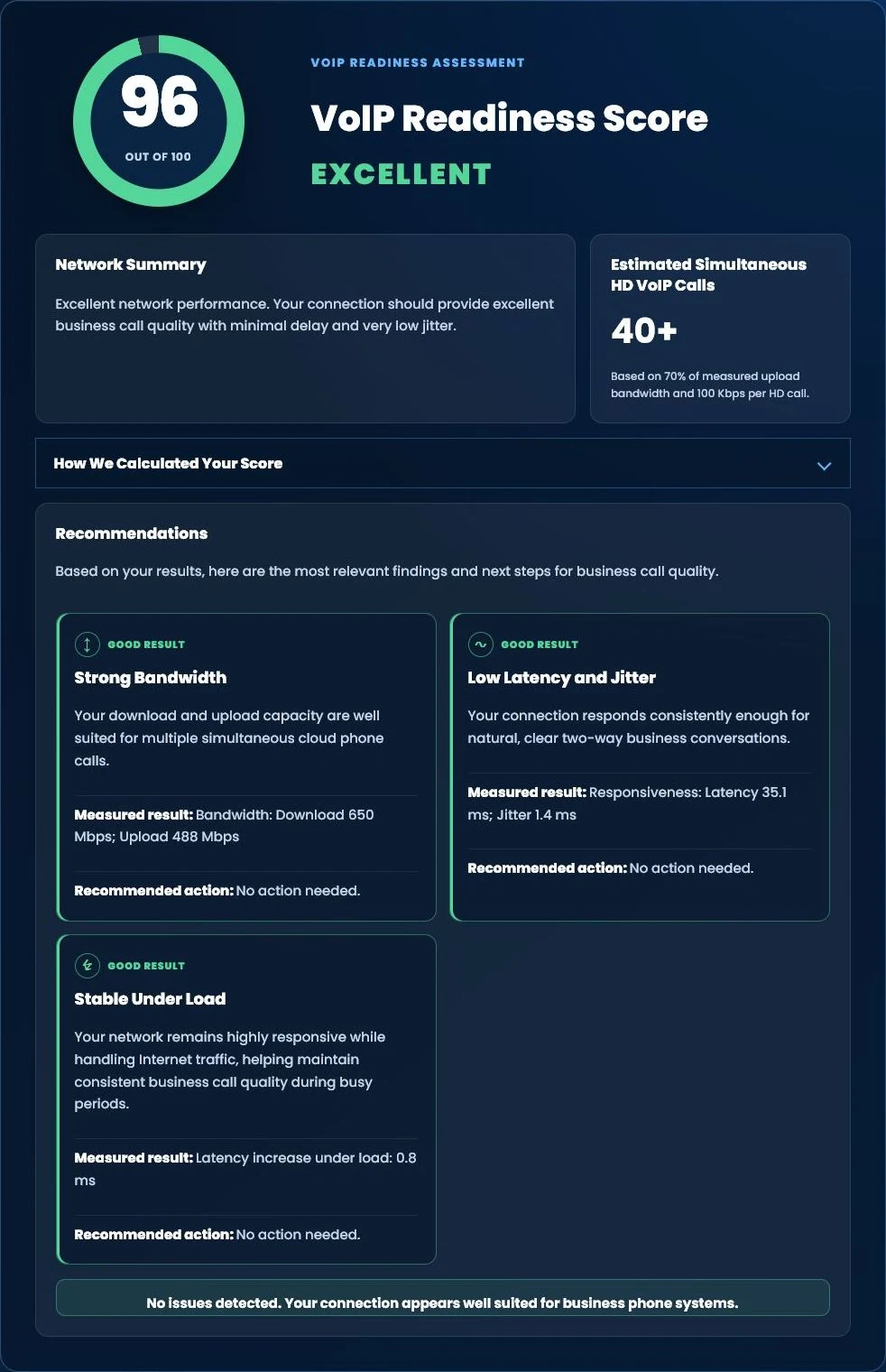
Run our free Tier 1 VoIP Readiness Assessment to measure latency, jitter, network responsiveness and overall VoIP readiness in about one minute.
- VoIP Readiness Score
- Latency & Jitter Analysis
- Network Stability Assessment
- Estimated HD Phone Capacity