
MANAGED CLOUD CALLING
Cloud Phone Systems for Office and Remote Teams
Connect your office, remote employees and mobile team with a managed cloud phone system from Tier 1 Telecom. We provide business VoIP service nationwide, bringing desk phones, apps, voicemail, business texting and call routing into one system planned around your team.
Based in Port St. Lucie, we serve the Treasure Coast and support remote onboarding nationwide.
Prefer to price a configuration first? Build your phone-system estimate.
Prefer a conversation? (866) 808-4371
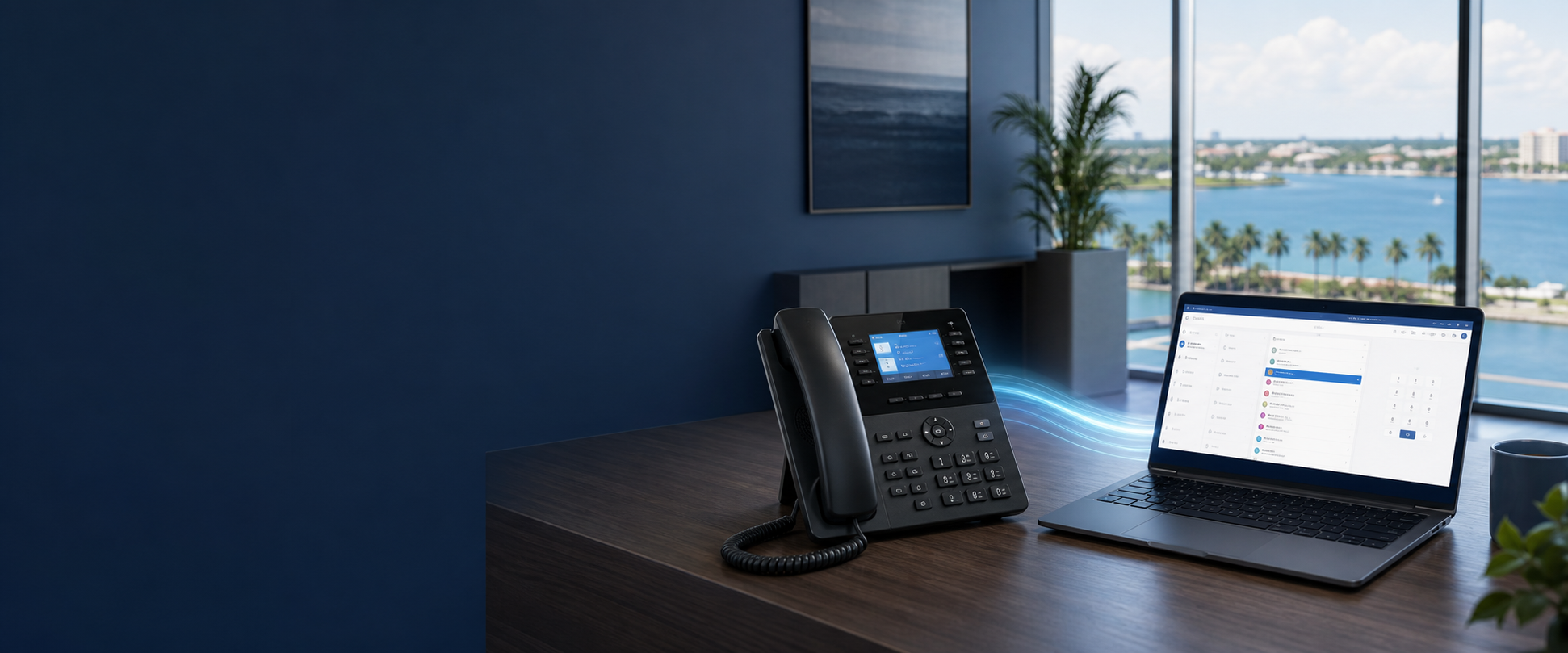
ILLUSTRATIVE CONFIGURATION
What a small-office call flow could look like
A six-person team might share one published business number while reception, office staff and field employees use different devices. This is a planning example, not a fixed package or a customer result.
During business hours
Route the main number to reception, then use a confirmed overflow rule for designated office or mobile users. Decide who owns unanswered calls.
When the office closes
Use an agreed greeting and voicemail or an approved on-call destination. Test the schedule, destinations and escalation path before relying on them.
Devices and administration
Match a desk phone or supported app to each role. Name the administrator responsible for user access, routing changes and location records.
REAL TREASURE COAST BUSINESSES
See how local teams use their phones
- MacKenzie Engineering & Planning replaced its two-line arrangement with desk phones and softphones, plus an after-hours auto attendant and voicemail to email. Read the MacKenzie setup.
- Island Dunes Country Club uses a mobile app so staff can take business calls away from their desks over an available data connection. See mobile calling at Island Dunes.
- RestorEase connects its Vero Beach and Orlando operations through one toll-free number with Tier 1 business VoIP service. See the RestorEase setup.
Hosted calling, explained clearly
What Is a Cloud Phone System?
A cloud phone system—also called a hosted phone system—places the core calling platform with a service provider instead of depending entirely on a traditional PBX appliance installed at the business. Authorized administrators can use supported management tools to organize users, extensions, telephone numbers, devices, voicemail, business hours, queues, applications and call-routing rules.
The platform is hosted, but the workplace is still real
“Cloud” does not mean equipment and network requirements disappear. A business may still use professional desk phones, headsets, computers, mobile devices, conference devices, routers, switches, firewalls, Wi-Fi and one or more internet connections. Those components influence how well the complete system supports employees.
Configuration matters as much as the feature list
Two hosted systems can behave very differently depending on the provider, selected plan, carrier, devices, integrations and configuration. A useful evaluation starts with the company’s actual numbers, users, schedules, departments, call patterns and support expectations.
MANAGED VOIP SERVICE
What Managed Business VoIP Service Includes
Tier 1 is your contact for phone-system planning, configuration, eligible number transfers, user setup and ongoing managed support. We help investigate call-quality issues across the phones, applications and network, coordinating with the appropriate provider when needed. Your proposal identifies the included equipment, features, implementation work and support arrangements.
Provider and Carrier Coordination
Tier 1 helps coordinate the overall solution; the hosted platform supplies supported communications capabilities; and underlying carriers provide number and calling connectivity. The internet provider supplies location connectivity, while the customer’s local network affects device performance. Responsibilities, ownership and escalation paths should be documented because no single party directly controls every component.
Cloud phone pricing and your estimate
For a six-user system, our builder estimates base service at $174 billed monthly, or $1,800 billed annually, equivalent to $150 per month. That works out to $29 per user per month with monthly billing, or $25 per user per month equivalent with annual billing.
These figures cover base service only. Equipment, add-ons, number charges, setup, taxes and regulatory fees are additional. Tier 1 confirms the complete price in your quote before activation.
Build your phone-system estimate to choose users, numbers, devices and extras. No payment is collected in the builder. You review the final quote and billing before service is activated.
Already have a phone bill? Compare your current bill against the proposed configuration.
SIP and Number Provisioning
SIP is commonly used to establish and manage IP-based calling sessions. Carriers and hosted platforms provision telephone numbers and calling routes, so most ordinary customers do not need to administer a raw SIP trunk themselves. The exact architecture depends on the provider, platform, devices, carrier and business requirements.
Call-Quality Management
Call quality depends on several systems working together. The responsibility checklist includes internet stability, latency, jitter, packet loss, wired versus Wi-Fi device placement, quality-of-service or traffic-prioritization options where appropriate, local power and tested alternate routes.
Review Network and Internet Readiness for the fuller planning checklist. No design can promise perfect call quality.
E911 and Location Records
Emergency-service address records should be reviewed during setup. Office locations, remote users and relocated devices may require different procedures, and users may need to update or confirm location information when devices move. Employees should understand the provider’s emergency-calling procedures.
Available behavior varies by provider, platform, carrier, device, plan, configuration and jurisdiction. Applications should not be assumed to provide universal location detection, guaranteed routing or identical behavior from every device.
Security, Administration and Support
Review role-based permissions and strong administrator authentication where supported, device and firmware management, voicemail and recording access, international-calling controls, fraud-monitoring options, administrative ownership, change responsibility, support and escalation procedures.
No system is completely secure, unhackable, automatically compliant or immune from fraud. These controls should be evaluated as part of the complete business phone solution.
From caller to the right destination
How Cloud Calling Works
A hosted platform applies the organization’s configured rules each time a call arrives. The exact workflow can be simple or layered, but the basic path usually follows four steps.
Available destinations, controls and integrations vary by provider, plan, devices, carrier and configuration. Those details should be confirmed during system design rather than assumed from a generic feature list.
The caller reaches the business number
The call enters through an eligible company telephone number assigned to the hosted service.
The platform evaluates routing rules
Business hours, menus, departments, caller choices, availability and other configured conditions help determine the next step.
The appropriate destination rings
A desk phone, application, queue, department or approved outside destination can receive the call when the selected service and configuration support it.
Administrators manage the workflow
Supported tools may allow authorized users to manage employees, extensions, schedules and routing without reprogramming an on-site PBX.
Use the right endpoint for the job
Work From the Appropriate Device
A well-designed cloud phone system can give employees a consistent business identity across supported devices. That can reduce the need to publish personal mobile numbers while keeping calls connected to company workflows.
At the desk
Professional desk phones
Purpose-built phones can provide familiar call controls, line appearances, speakerphone functions and headset support for employees who handle calls from a regular workstation.
At the computer
Desktop applications and headsets
Supported software can let an employee place and receive business calls from a computer. Headset selection, operating-system support and application compatibility should be verified.
Away from the office
Mobile applications
A supported mobile app may extend business calling to an employee’s smartphone while presenting an approved company identity. Performance still depends on device support and available mobile or Wi-Fi connectivity.
Common spaces
Shared-area phones
Reception areas, warehouses, kitchens and other shared spaces may require devices and permissions that differ from a named user’s extension.
Group conversations
Conference devices
Meeting rooms may benefit from supported conference phones or audio devices selected for room size, pickup range and expected use.
Special workflows
Approved forwarding destinations
Some configurations can route calls to approved outside numbers. Caller ID behavior, answer confirmation, reporting and continuity expectations should be reviewed before relying on forwarding.
Control the experience behind the number
Call Routing and Administration
The value of hosted calling often comes from how accurately the system reflects the organization. A thoughtful design can separate departments, locations, schedules and escalation paths while keeping routine changes manageable.
- Auto attendants and caller menus
- Call queues, routing and reporting
- Department and location routing
- Business-hours and after-hours schedules
- Holiday and temporary-closure rules
- Overflow and unanswered-call routing
- Voicemail-to-email where supported
- Outbound caller ID configuration
- User and extension administration
- Reporting and call-recording options where appropriate
- Business texting when supported and properly enabled
- Documented permissions and change procedures
Business texting is not automatically available with every number or plan. Platform capability, carrier registration, use-case approval and applicable requirements can affect whether and how messaging is enabled.
A calling platform depends on its environment
Network and Internet Readiness
Cloud calling moves voice through the organization’s technology environment, so readiness deserves more than a quick speed test. Capacity matters, but connection stability and local network design can be just as important to a usable result.
No provider or network design can remove every technical dependency. Call quality and availability can be affected by carrier conditions, internet service, local equipment, electrical power, mobile coverage, configuration and other factors.
What should be evaluated
Review available internet capacity, stability, latency, jitter and packet loss along with routers, switches, firewalls, Wi-Fi coverage, device placement and electrical power. Quality-of-service options may help prioritize voice traffic in an appropriate network, but they are not a substitute for adequate connectivity and sound design.
What employees actually experience
Wired desk phones, Wi-Fi devices, home networks and mobile connections can produce different results. Remote and field users introduce environments the main office does not control, so expectations and troubleshooting procedures should reflect those differences.
Planning for alternatives
Where business needs justify it, a secondary internet connection, mobile application or approved alternate destination may provide another routing option. Each alternative should be configured and tested before it is treated as part of a continuity plan.
Telecom informed by IT experience
Tier 1 Telecom’s connection to Proactive Computer Care brings relevant IT and network experience into system planning. That can help conversations include firewalls, switches, Wi-Fi and workstation realities—not just handsets and telephone numbers.
Choose based on operating requirements
Cloud Versus Traditional On-Premises Phone Systems
Neither architecture is universally correct. The better fit depends on the organization’s existing equipment, contracts, connectivity, workflows, risk tolerance, support model and plans for change.
Platform location
Hosted or cloud system: Core platform is operated by a service provider.
Traditional on-premises PBX: Core PBX equipment is generally located and managed at the organization.
On-site hardware
Hosted or cloud system: May reduce reliance on a local PBX appliance, but still uses network equipment and endpoints.
Traditional on-premises PBX: Usually requires local PBX hardware in addition to phones and network components.
User administration
Hosted or cloud system: Supported web tools may simplify routine user and routing changes.
Traditional on-premises PBX: Changes may depend on local software, vendor access or PBX programming.
Remote work
Hosted or cloud system: Supported desktop and mobile applications can extend calling beyond the office.
Traditional on-premises PBX: Remote access may require additional components or configuration.
Multiple locations
Hosted or cloud system: Locations can often share administration while retaining selected local rules and numbers.
Traditional on-premises PBX: Connecting sites may require additional systems, licensing or network design.
Expansion
Hosted or cloud system: Users and services may be added within provider, licensing and capacity limits.
Traditional on-premises PBX: Expansion can depend on available PBX capacity, cards, licenses and hardware.
Maintenance and upgrades
Hosted or cloud system: Provider manages the hosted platform; customer equipment and network still require attention.
Traditional on-premises PBX: Organization or its vendor manages local platform maintenance and upgrade planning.
Cost structure
Hosted or cloud system: Commonly emphasizes recurring service, licensing and device costs.
Traditional on-premises PBX: May involve more upfront capital plus maintenance, carrier and upgrade expenses.
Connectivity dependence
Hosted or cloud system: Internet and network performance are central operational considerations.
Traditional on-premises PBX: Internal calling may rely less on internet service, while carrier access and remote features still have dependencies.
Feature availability
Hosted or cloud system: Depends on provider, plan, carrier, devices, integrations and configuration.
Traditional on-premises PBX: Depends on installed PBX capabilities, licensing, hardware and software version.
Still weighing the architecture? Use our cloud versus traditional phone decision checklist to compare equipment, administration, continuity and total cost.
Common reasons to evaluate hosted calling
Business Scenarios
Growing office
A company expects to add employees and extensions and wants to avoid replacing the complete system whenever the organization changes. The design should account for licensing, device needs, administration and future capacity.
Remote and hybrid workforce
Employees work from desks, computers, home offices and mobile devices while needing a professional company identity. Supported applications, home connectivity and user procedures become part of the plan.
Multiple locations
An organization wants shared administration and calling features while preserving location-specific numbers, departments, schedules or routing. The call flow should make ownership clear across sites.
Mobile and field employees
Service, sales, property or field personnel need business calls to reach them without publishing personal numbers or separating them from office workflows. Mobile coverage and application behavior should be tested.
Routing flexibility should be designed and tested
Continuity and Alternate-Routing Planning
Cloud calling may provide useful options when employees cannot work from their usual desks, but continuity does not happen automatically. The organization should decide in advance what different groups will do during an internet interruption, power loss, weather closure or temporary move to remote work.
Build a documented routing plan
Define unanswered-call behavior, approved external destinations, mobile-app use, business-hours and after-hours rules, weather-closure messages and escalation contacts. If multiple internet connections are appropriate, document which devices and workflows they support.
Test the plan periodically
Confirm that employees can sign in, authorized destinations ring, schedules behave as expected and responsible staff know how to activate temporary changes. Tests should include power considerations, mobile coverage and any equipment that depends on the local network.
Plan the cutover before moving the numbers
Migration and Number Porting
A smooth transition begins with a complete inventory and a tested design. Switching is not always instantaneous, and complex integrations or multi-location environments may require additional planning.
Review the current environment
Gather bills, contracts, telephone numbers, users, devices, carrier details, call flows and known problems. Bring us your current bill as a practical starting point.
See the detailed phone system migration and bill-review process.
Design the new structure
Map users, extensions, devices, departments, applications, schedules, caller menus, queues and alternate-routing requirements.
Configure and test
Prepare supported devices and applications, confirm network readiness and test inbound, outbound, internal and after-hours workflows before final launch.
Port eligible numbers and launch
Number portability is subject to eligibility and carrier validation. Existing service should not be cancelled before ports are confirmed and the cutover plan is approved.
Train users and document support
Show employees how to use the devices and applications relevant to their roles, then document administration, escalation and support procedures.
Part of a broader communication strategy
Related Services and Local Support
Based in Port Saint Lucie, Tier 1 supports businesses across the U.S. Our Treasure Coast service area includes Port Saint Lucie, Fort Pierce, Stuart, Jensen Beach, Palm City and Vero Beach.
Business Phone Systems
Explore managed business phones nationwide, including devices, routing, texting, migration, industry workflows and our local Treasure Coast service areas.
AI Voice Agents
Optional AI call-handling and workflow tools may assist with selected lead, scheduling, routine-question and overflow scenarios when appropriately designed.
Business texting
Business texting may be available as part of an appropriately configured and approved service. Availability depends on the platform, number, carrier registration, approved use case and applicable requirements.
Frequently asked questions
Cloud Phone System FAQs
What is the difference between a cloud phone system and a traditional business phone system?
A cloud phone system hosts the core calling platform with a service provider, while a traditional on-premises system generally relies on a PBX appliance at the organization. Both can use business telephone numbers, desk phones and routing features. The practical differences involve where the platform runs, who maintains it, how users are administered, connectivity requirements, available applications and the organization’s cost and risk preferences.
Do cloud phone systems still use desk phones?
Yes, many hosted systems support professional IP desk phones. A business may also use desktop applications, mobile applications, headsets, conference devices and shared-area phones. Exact compatibility depends on the provider, service plan, device model, licensing and configuration, so existing or proposed equipment should be verified before purchase or migration.
Can employees use the business phone system from home or a mobile device?
Supported desktop and mobile applications can allow authorized employees to place and receive business calls outside the office while presenting an approved company identity. Availability and performance depend on the selected service, supported devices, application permissions, home internet, Wi-Fi or mobile coverage and the organization’s security and operating policies.
What internet connection does a cloud phone system require?
There is no single answer for every company. Requirements depend on concurrent call volume, codecs, other network traffic, locations and continuity expectations. Capacity, stability, latency, jitter and packet loss should be evaluated along with routers, switches, firewalls, Wi-Fi, power and device placement. Tier 1 Telecom can help review the environment before a final design is selected.
Can we keep our existing business telephone numbers?
Many existing numbers can be ported, but portability is subject to eligibility, accurate account information and carrier validation. Some numbers or services may require special handling. Do not cancel the current service before ports are confirmed, and allow time to test the new configuration before the final cutover.
What happens if our office loses internet access or power?
The result depends on the network, devices and routing plan. Supported mobile applications, approved outside destinations, alternate internet connections or temporary routing changes may provide options in some situations. Desk phones and network devices generally require power and connectivity. Continuity procedures should be documented and tested rather than assumed.
Can a cloud phone system connect multiple business locations?
A hosted platform can often place multiple locations under shared administration while preserving selected location numbers, schedules, departments and routing. The right structure depends on connectivity, carrier and number requirements, user permissions, devices and how calls should move between sites. Each location should be assessed as part of the design.
Is business VoIP the same as a cloud phone system?
VoIP describes voice communications delivered using Internet Protocol. A cloud phone system is a hosted business platform that commonly uses VoIP while adding features such as user administration, call routing, applications, voicemail, queues, reporting and provider support. The terms overlap, but they describe different parts of the overall service.
What is included in a managed Business VoIP service?
The scope may include service licensing, telephone numbers, supported devices and applications, call-flow configuration, carrier coordination, network-readiness guidance, user training and ongoing support. Exact inclusions depend on the selected platform, provider, plan, equipment, integrations and agreement.
How are E911 addresses handled for remote users and multiple locations?
Emergency-address records and supported behavior should be reviewed for each platform, carrier, device and work location. Employees must follow the provider’s procedures when a device or user changes location. Available emergency-calling behavior varies by provider, plan, device, configuration and jurisdiction.
How is Business VoIP priced?
Pricing may include per-user or per-extension service, telephone numbers, devices, optional features, usage, taxes and fees, support and contract terms. Tier 1 Telecom can review the complete cost structure and compare it with the organization’s current telephone bill and requirements.
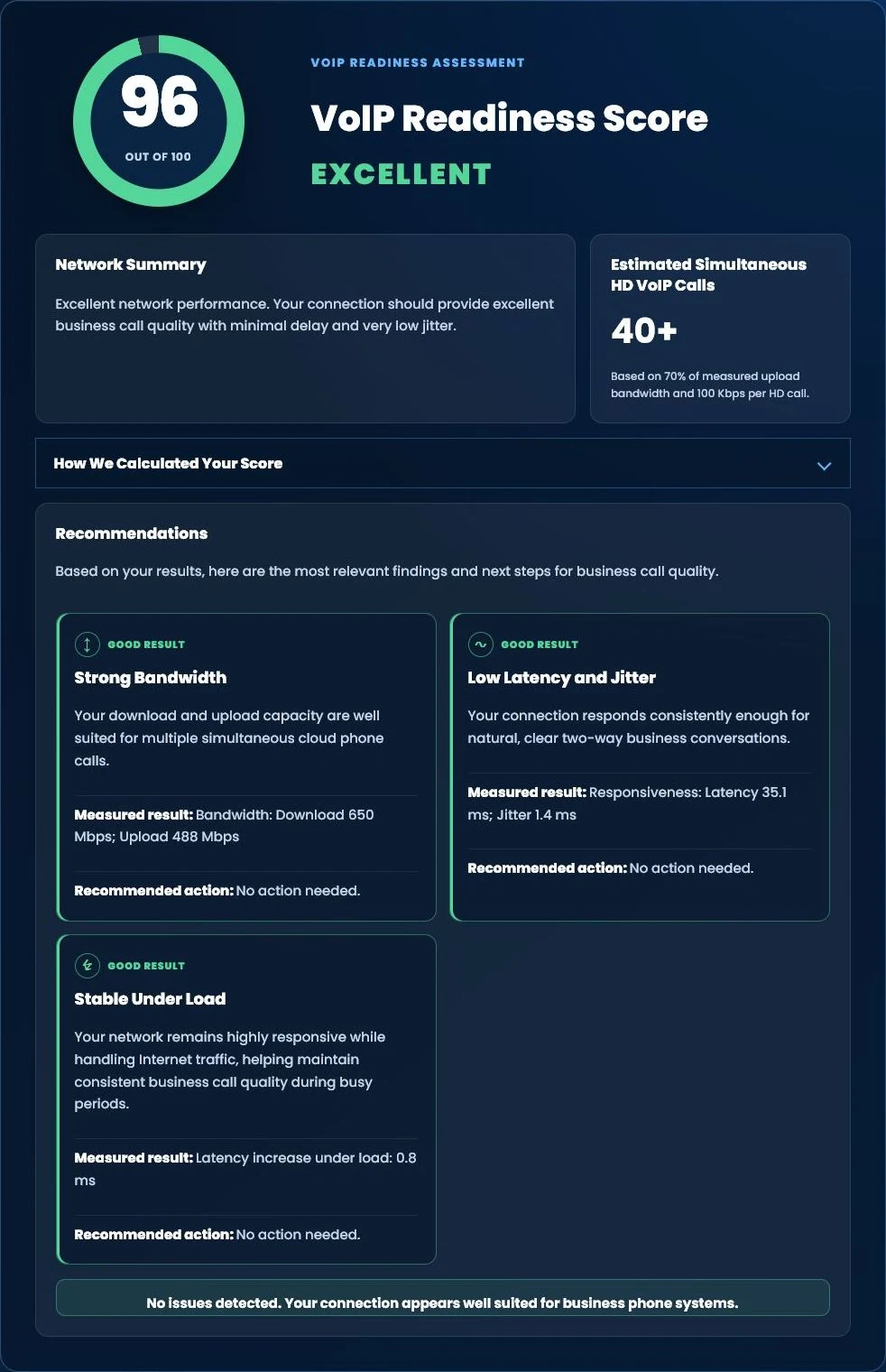
Screen your internet connection before migration
Our free browser test measures speed, latency, jitter and loaded latency, and estimates call capacity. It is a starting point for investigation: it does not measure actual call-path packet loss or guarantee a successful call.
Plan the system around the business
Build a Cloud Phone System Around the Way Your Team Works
Let’s discuss your employees, locations, devices, telephone numbers, internet environment, call routing and growth plans. Tier 1 Telecom can help determine whether hosted calling fits your organization and what should be addressed before migration.
Get My Phone-System RecommendationBring Us Your Current Bill
See how Island Dunes uses mobile calling and how RestorEase connects its locations.
Call (866) 808-4371