When the internet goes down at a business using a cloud phone system, the office’s desk phones will usually lose their connection to the phone platform. Employees may be unable to place new calls from those phones, and calls already in progress may be interrupted.
That does not necessarily mean the entire phone system is offline.
The cloud platform may remain fully operational outside the affected office. Incoming calls can still reach the provider and follow any forwarding, voicemail, mobile-app, multi-location, or alternate-routing rules that were configured before the outage.
The difference between a brief inconvenience and a complete communications failure usually comes down to planning. Start with Business Phone Systems: The Complete Guide for the broader platform and planning context.
The Short Answer
If an office loses its internet connection:
- Desk phones at that location may show as offline or unregistered.
- New outbound calls from those phones may not work.
- Calls already in progress will usually be interrupted.
- Internal extension calls that depend on the cloud may stop working.
- Incoming calls can still reach the cloud phone platform.
- Preconfigured routing may send calls to mobile phones, another office, voicemail, an answering service, or another destination.
- A mobile app may continue working if the device switches to cellular data or another functioning internet connection.
- A properly configured secondary internet connection may restore phone connectivity automatically.
- A power outage requires backup power in addition to internet redundancy.
The exact behavior depends on the phone platform, network design, equipment, power availability, provider configuration, and failure type. Continuity features should be configured and tested before they are needed.
Tier 1 can review your call routing and failover plan so incoming calls can continue reaching mobile users, another office, voicemail or another predefined destination.
The Cloud Phone System May Still Be Running
With a cloud phone system, the primary call-control platform is hosted outside the business location.
If the office’s internet service fails, the local phones may no longer be able to reach that platform. However, the platform can remain online and continue receiving calls to the company’s telephone numbers.
This separation creates several continuity options that are not available when all call handling depends on equipment at the affected location.
For example, the cloud platform may still be able to:
- Play the company’s automated greeting
- Send callers through an auto attendant
- Route calls by department or schedule
- Send calls to another business location
- Ring mobile or remote users
- Forward calls to external numbers
- Deliver callers to voicemail
- Send voicemail messages by email
- Route calls to an answering service
- Send calls to a properly configured AI voice agent
These outcomes are not automatic merely because the system is cloud-based. They depend on how the call flow was designed before the outage.
For an introduction to how these systems operate, see What Is a Business Phone System?. The architectural differences are explored further in Hosted PBX vs. On-Premise PBX.
What Happens to Calls Already in Progress?
An active VoIP call normally uses the office’s internet connection to carry audio between the phone and the service platform.
If that connection disappears, the active call will usually drop. Even when a secondary connection is available, the network path, public IP address, or session may change in a way that interrupts the existing call.
A properly configured failover connection can allow the phone to reconnect and place or receive subsequent calls. It should not be assumed that every active call will transfer seamlessly between internet connections.
Businesses should distinguish between two continuity goals:
- Restoring service quickly for new calls
- Preserving an active call without interruption
The first goal is commonly achievable with automatic failover. The second depends on the platform, router, connection type, and session-handling capabilities and should never be promised without testing the exact configuration.
We can review your internet service, firewall, phone system and backup options and design a practical continuity plan.
What Happens to New Incoming Calls?
Incoming calls generally arrive at the cloud provider before being sent to a particular phone.
If the provider’s platform is working but the office phones are unreachable, the result depends on the call-routing configuration.
Possible outcomes include:
- The caller hears ringing until a no-answer rule activates.
- The call moves to voicemail.
- The call forwards to an employee’s mobile phone.
- Multiple mobile or remote users ring.
- Another office receives the call.
- An answering service receives the call.
- The caller remains in a cloud-hosted queue.
- An automated attendant offers other choices.
- The call fails because no alternate route was configured.
A good continuity plan does not rely on someone logging into the system after the outage begins. The most important routes should already be configured and documented.
Can Employees Continue Using a Mobile App?
A mobile or desktop calling application may continue working if it can reach the cloud platform through a connection that is independent of the failed office internet service.
For example, a smartphone may switch from office Wi-Fi to its cellular data connection. The employee may then continue receiving business calls through the app, subject to the app, cellular service, account configuration, and provider capabilities.
Brad’s outage tip: Office Wi-Fi may still show as connected even when the internet connection behind it is down. That can prevent the VoIP mobile app from reaching the cloud platform. If this happens, disconnect from the office Wi-Fi or temporarily turn Wi-Fi off so the phone uses cellular data. Confirm beforehand that cellular data is enabled for the VoIP application; do not assume the phone will switch automatically.
The app will not help if:
- The phone remains connected to failed office Wi-Fi
- Cellular data is disabled
- Cellular coverage is unavailable
- The user is not signed in
- The app was never provisioned
- The employee does not know how to use it
- The outage affects the provider rather than the office connection
- The phone’s battery is depleted
Mobile applications should be installed, signed in, updated, and tested before an emergency. An outage is not the ideal time to distribute credentials or discover that an employee never completed setup.
Could Calls Ring at Another Office?
Yes. Multi-location cloud systems can often route calls to users at another location that still has working internet and power.
A business might configure:
- A primary office and backup answering location
- A shared receptionist group across several offices
- Overflow routing to another branch
- Company-wide call queues with remote members
- Location-specific routes that activate when phones are unreachable
- After-hours or emergency routing to designated employees
This can be especially useful for companies with several locations because an outage at one building does not have to prevent another location from answering.
Each office should still be assessed independently. If every location uses the same internet carrier or shares a common upstream dependency, one larger provider outage could affect several sites simultaneously.
What About a Secondary Internet Connection?
A secondary internet connection can reduce the time phones remain disconnected after the primary circuit fails. Before sizing either connection, review what internet speed VoIP requires and use the VoIP Readiness Assessment to screen connection quality.
Common backup options include:
- A second wired internet provider
- A dedicated fiber or broadband circuit
- Cable service backing up fiber
- Fixed wireless service
- A business cellular connection
- A router with an integrated cellular modem
- A managed SD-WAN or multi-WAN configuration
For meaningful redundancy, the secondary service should avoid as many shared failure points as practical.
Two connections may look independent while still sharing:
- The same physical cable path into the building
- The same utility pole
- The same local carrier infrastructure
- The same building equipment room
- The same electrical circuit
- The same router or firewall
- The same provider backbone
Redundancy is strongest when the backup uses a different provider, transport method, entrance path, and power source. That level of separation may not be necessary for every small business, but the shared risks should be understood.
How Automatic Internet Failover Works
A compatible router or firewall can monitor the primary connection. When that connection becomes unavailable, the device may begin sending traffic through a secondary circuit.
The basic sequence is:
- The router detects that the primary path is no longer usable.
- Traffic is moved to the backup connection.
- Phones attempt to reestablish their connection with the cloud platform.
- New incoming and outgoing calls resume after registration completes.
- When the primary service returns and meets the configured recovery conditions, traffic moves back.
The switch may take seconds or longer, depending on the equipment and configuration. Active calls may still drop during the transition.
Failover also needs to be designed carefully. An unreliable primary circuit that repeatedly disconnects and reconnects can cause the network to move back and forth between connections. Appropriate detection and recovery thresholds help prevent that behavior.
Cellular Backup Can Help, but It Has Limits
Cellular internet is a practical backup option for many small businesses because it does not require a second wired path into the building.
Its performance depends on:
- Carrier coverage
- Signal strength inside the building
- Tower congestion
- Weather and local conditions
- Antenna placement
- Data-plan restrictions
- Router compatibility
- Available upload capacity
- Latency and packet loss
- The number of devices sharing the connection
A cellular backup should prioritize essential traffic. Allowing every computer, security camera, guest device, cloud backup, and software update to use the cellular connection may consume its limited capacity and interfere with voice traffic.
A backup connection should be tested under realistic conditions rather than assumed to work because a phone displays several signal bars.
Use this guide to understand how latency, jitter and packet loss affect VoIP call quality before relying on any primary or backup connection.
Internet Outage, Network Failure and Power Failure Are Different
Not every apparent “internet outage” has the same cause. Correctly identifying the failure prevents wasted troubleshooting. Rebooting phones will not fix a carrier outage, and purchasing a faster plan will not fix a failed network switch.
Internet service provider outage
What may happen: Local network stays powered, but phones cannot reach the cloud
What can help: Secondary ISP, cellular failover, alternate call routing
Router or firewall failure
What may happen: Internet service may be available, but office devices cannot use it
What can help: Redundant or replacement equipment, support plan, spare configuration
Network switch failure
What may happen: Phones connected through that switch lose network access and possibly power
What can help: Managed switch replacement, redundant design where justified
Wi-Fi failure
What may happen: Wireless apps or phones disconnect while wired devices may continue working
What can help: Wired connections, additional access points, corrected Wi-Fi design
Power outage
What may happen: Modem, ONT, router, switches, phones and computers may shut down
What can help: UPS systems, generator, alternate routing, charged mobile devices
Cloud-provider outage
What may happen: Local internet works, but phones may not reach the calling platform
What can help: Provider redundancy, status monitoring, externally independent contingency routes
Building or cabling damage
What may happen: One area or the entire location may lose connectivity
What can help: Alternate location, mobile service, diverse physical paths
Does a UPS Keep VoIP Phones Working?
An uninterruptible power supply can keep equipment running during a short power interruption, but every required component must have power.
Depending on the network, that may include:
- Internet modem
- Fiber optical network terminal
- Router or firewall
- Network switches
- Power over Ethernet switch
- Wireless access points
- Cellular failover device
- Individually powered desk phones
- Local gateways or controllers
If desk phones receive power through a Power over Ethernet switch, placing that switch on a properly sized UPS may keep several phones powered without separate battery units at every desk.
A UPS does not create internet service. If the internet provider’s local equipment loses power or its network is damaged, keeping the office router powered will not restore the connection.
UPS runtime also changes with electrical load, battery age, temperature, and battery condition. The system should be sized for the equipment it actually supports and tested periodically.
What Happens During a Power Outage?
A power outage can affect more equipment than an internet-provider outage.
Without backup power:
- Desk phones may shut down.
- The modem or fiber terminal may shut down.
- The router and network switches may shut down.
- Wi-Fi access points may disappear.
- Desktop computers and softphones may become unavailable.
- Cordless-phone bases may stop working.
- Employees may lose access to local systems.
Incoming calls may still reach the external cloud platform and follow previously configured alternate routes. Mobile phones can remain useful while their batteries and cellular networks remain available.
Keeping the network equipment powered is only part of the plan. Businesses should also consider how employees will charge mobile devices during an extended outage and whether the building itself will remain usable.
Will Voicemail Still Work?
Cloud-hosted voicemail may continue working even while the office is offline because it operates in the provider’s environment.
Callers may still be able to leave messages, and employees may retrieve those messages through:
- A mobile application
- A web portal reached from another connection
- Voicemail-to-email
- Dial-in access
- Another registered phone
Employees will need a functioning alternative connection to receive email notifications or access the portal.
Voicemail is a useful fallback, but it does not replace live answering for organizations that receive urgent calls. The continuity plan should reflect how quickly the business must respond.
Can an Auto Attendant or Call Queue Keep Working?
A cloud-hosted auto attendant or queue may remain active when one office loses connectivity.
The auto attendant can continue greeting callers and offering menu options. A queue may continue holding callers and attempting to reach available members.
However, callers can still reach a dead end if every destination in the call flow depends on phones at the affected office.
At least one appropriate destination should be independent of the primary location, such as:
- A cellular-connected mobile user
- A remote employee
- Another business location
- An external answering service
- An alternate telephone number
- Voicemail
- A properly configured AI voice agent
Review the entire call path instead of checking only whether the greeting still plays.
Emergency Calling Requires Special Attention
If a VoIP phone cannot reach its service platform, it may not be able to place any outbound call—including a call to 911.
Employees should know not to rely on an offline desk phone during an emergency. They may need to use a working mobile phone or another available telephone service.
Businesses should also maintain accurate emergency-location information for their VoIP users and locations. A portable phone or application can be used from somewhere other than its registered address, so location procedures should be reviewed whenever users or devices move.
The FCC warns that VoIP and 911 service may not work when the internet connection fails, becomes overloaded, or loses power. It also requires interconnected VoIP providers to address E911 responsibilities and disclose relevant limitations.
The National 911 Program FAQ provides additional general emergency-calling guidance.
Do not place an unannounced test call to 911. Follow the phone provider’s approved emergency-calling test procedure and local public-safety guidance.
How to Build a Business Phone Outage Plan
When reviewing the broader platform, include the mobile access and continuity features that employees will actually use during an interruption.
Identify the failures that matter
Document how the business will respond to:
- A short internet interruption
- An extended carrier outage
- Router or firewall failure
- Network switch failure
- Power failure
- Building evacuation
- Regional cellular congestion
- Cloud-platform disruption
Decide where incoming calls should go
Choose the destinations before an outage:
- Mobile users
- Remote employees
- Another office
- Voicemail
- Answering service
- Emergency on-call number
- AI voice agent
Prioritize important numbers
Not every number needs the same continuity treatment.
Main published numbers, urgent service lines, medical or legal intake numbers, sales lines, and after-hours numbers may require different routes.
Prepare mobile users
Install applications, confirm sign-in, verify permissions, and teach employees how to leave office Wi-Fi when the connection has failed.
Review backup connectivity
Confirm which equipment detects the failure, which connection becomes active, what traffic is permitted, and how the system returns to the primary service.
Protect required equipment
Place appropriate network equipment on UPS power and document expected runtime. Test batteries and replace them according to their condition and manufacturer guidance.
Document the procedure
Employees should know:
- How to recognize an outage
- Who to contact
- Whether to reboot anything
- Which devices should remain untouched
- How to switch a mobile phone to cellular data
- Where calls will be routed
- How customers should be updated
- How emergency calls should be placed
Test the complete call flow
A successful internet-failover test does not prove that incoming calls reach the right people.
Test:
- Main number
- Department numbers
- Direct numbers
- Auto attendant
- Call queues
- Mobile applications
- External forwarding
- Voicemail
- After-hours routing
- Return to normal service
Testing should occur after major configuration changes and on a regular schedule appropriate to the business.
Record the Result of Each Outage Test
Use the existing plan and checklist above, then make a simple test record rather than relying on the fact that a backup connection came online.
| Scenario | Expected result to agree | Record after the test |
|---|---|---|
| Primary connection fails | The configured alternate path or destination handles new calls. | Which calls reached staff or voicemail, transition behavior and any failure. |
| Phone or local network loses power | Staff follow the documented alternate calling procedure. | Which required devices stayed available and which dependencies were missed. |
| Published number called while office is offline | The caller reaches the approved backup person or destination. | Who answered or received the message and who owns follow-up. |
| Primary service returns | Normal devices and call routing are verified. | Registration, inbound/outbound calls and removal of temporary routes. |
Document the responsible person, test date, observed result and follow-up action. Agree the test procedure with the provider before disrupting service. Treat active-call behavior and emergency-calling procedures as separate checks; do not assume a new-call routing test proves either.
Outage Planning Checklist
Verify each part of the continuity path before an emergency and after material network or phone-system changes.
Primary internet
What to verify: Provider, circuit and support contact documented
Backup internet
What to verify: Different failure path where practical
Router/firewall
What to verify: Automatic failover configured and tested
Cellular backup
What to verify: Signal, capacity and data plan verified
Power protection
What to verify: Modem, ONT, router, switches and phones covered as needed
Mobile applications
What to verify: Installed, signed in and tested over cellular data
Incoming call routing
What to verify: Alternate destinations configured in advance
Active-call expectations
What to verify: Employees understand calls may drop during transition
Voicemail
What to verify: Accessible from outside the affected office
Other locations
What to verify: Able to receive calls when designated
Emergency calling
What to verify: Registered locations and alternate procedures documented
Employee instructions
What to verify: Clear outage-response procedure distributed
Testing
What to verify: Inbound, outbound, failover and recovery tested
Monitoring
What to verify: Responsible person receives outage or device alerts
Recovery
What to verify: Normal routing verified after service returns
Frequently Asked Questions
These answers summarize the most common outage questions. Exact behavior still depends on the provider, network, power and configuration.
Don’t wait for the next outage to find out what fails
Tier 1 can review your call routing, internet failover and backup destinations before an outage puts them to the test.
Do cloud phones stop working when the internet goes down?
Desk phones at the affected location will usually lose their connection to the cloud platform and may be unable to place or receive calls. The cloud system itself may remain online and continue routing incoming calls to other configured destinations.
Will incoming business calls still work during an internet outage?
They can, depending on the call flow. The cloud platform may forward calls to mobile users, remote employees, another office, voicemail, an answering service, or another destination. These routes should be configured before the outage. If your continuity plan depends on a third-party answering service, also plan for what happens if that service itself is unavailable; see our AI Receptionist vs. Answering Service comparison for answering-service outage and backup-routing considerations.
Will an active VoIP call drop if the internet fails?
Usually, yes. A backup internet connection may allow the phone to reconnect quickly for new calls, but an active call may not survive the change in network path.
Can employees use the mobile app during an office outage?
A mobile app may continue working if the smartphone switches to functioning cellular data or another internet connection. It will not help if the device remains connected to the failed office Wi-Fi or the wider phone platform is unavailable.
Will a UPS keep the phone system working?
A UPS can keep local equipment powered temporarily, but the modem or fiber terminal, router, switches and phones must all receive power as needed. A UPS cannot restore an internet provider’s failed network.
Does cellular failover prevent all phone downtime?
No. Properly configured cellular failover can reduce disruption, but connection detection, registration and network changes may take time. Active calls may still drop, and cellular performance depends on signal, congestion and available capacity.
Can I call 911 from a VoIP phone during an outage?
Not if the phone cannot connect to the service platform or an appropriately configured local survivability service. Employees should use a working mobile phone or another available telephone service during an emergency and follow the company’s documented procedure.
What Happens When the Internet Comes Back?
When service returns, phones and applications normally reconnect to the cloud platform, but recovery is not always instantaneous. Devices may need time to renew network settings, re-register, and move away from temporary failover routes.
After an outage, confirm that:
- Desk phones and approved applications show as registered
- Inbound and outbound calls complete normally
- Main numbers, queues, voicemail and after-hours rules follow their intended routes
- Any temporary forwarding or manual responsibilities have been removed
- The primary connection is stable before backup connectivity is returned to standby
- The provider status page and local monitoring show no remaining fault
Document what failed, how long recovery took and whether the continuity plan worked as intended. Use those findings to improve the next test.
Prepare Before the Connection Fails
An internet outage does not have to make a business unreachable.
A well-designed cloud phone system can continue handling incoming calls outside the affected office and redirect them to mobile users, remote employees, another location, voicemail, or another prepared destination.
The key is to configure those options before the outage, protect the necessary network equipment, and test the entire call flow under realistic conditions.
Tier 1 Telecom can review your current call routing, internet connection, network equipment, and backup options to help create a practical continuity plan for your business. Explore our business phone system services or contact Tier 1 Telecom to discuss your environment.
FREE BUSINESS RESOURCE
Test Your Internet for Business Phone Systems
Wondering whether your Internet connection is ready for cloud business phones?
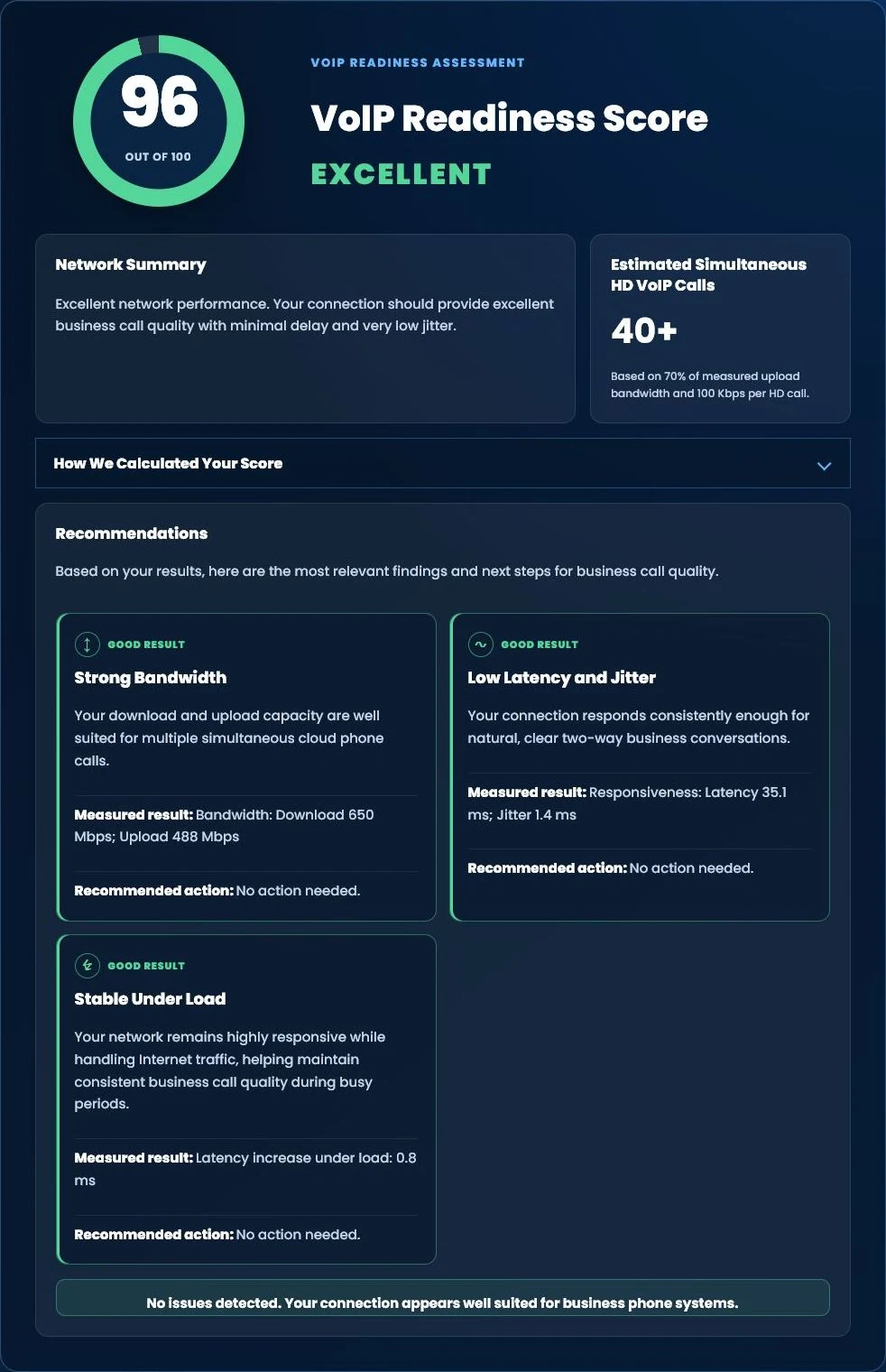
Run our free Tier 1 VoIP Readiness Assessment to measure latency, jitter, network responsiveness and overall VoIP readiness in about one minute.
- VoIP Readiness Score
- Latency & Jitter Analysis
- Network Stability Assessment
- Estimated HD Phone Capacity