
LOCAL BUSINESS PHONE SERVICE | FORT PIERCE, FL
Business Phone Systems for Fort Pierce Businesses
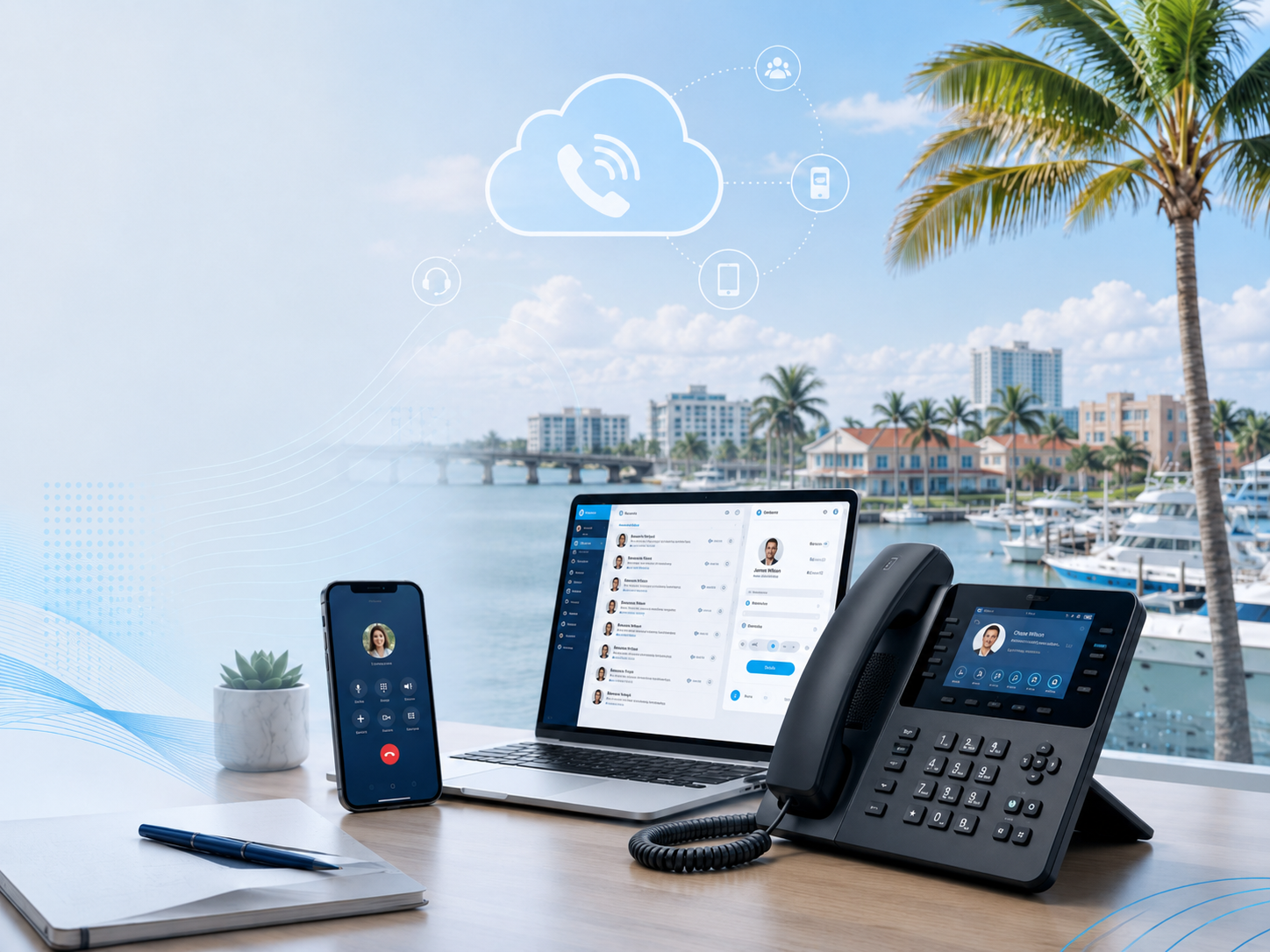
Replace outdated or inflexible phone service with a modern business VoIP and cloud phone system built around the way your team works. Tier 1 Telecom provides Fort Pierce businesses with professional desk phones, mobile and desktop apps, advanced call routing, business texting, supported integrations and optional AI voice agents—backed by responsive local support.
Illustrative Fort Pierce workflow: A service business could route a new inquiry to its office, a job update to dispatch and an urgent request to an available on-call employee. Map and test those destinations before launch.
For a published Treasure Coast customer example, see Just Chillin HVAC’s office and on-call calling setup in Port St. Lucie.
Keep existing numbers when eligible • Coordinated setup and cutover • No long-term contract
Cloud Phone Systems
Manage calling, users, extensions and routing without maintaining an aging on-premise phone server.
AI Voice Receptionist
Answer selected calls, capture information and transfer callers when your staff is unavailable.
Business Text Messaging
Use supported SMS and MMS from your business number for customer communication.
Local Support
Work with a Treasure Coast provider that understands Fort Pierce businesses, networks and phone systems.
BUSINESS PHONE SERVICE SHOULDN'T BE THIS HARD
Communication Gets Complicated When Your Team Is Spread Out
Fort Pierce companies often have employees working across offices, warehouses, service yards, customer locations, vehicles and job sites. A business phone system should help those people operate under one consistent company identity without forcing every call through a single desk.
Office and Field Teams Become Disconnected
Calls can remain trapped at the main office while dispatchers, technicians, drivers or managers are working from a yard, vehicle, warehouse or customer location.
Customers Do Not Know Which Number to Call
A mixture of office numbers, personal cell phones and separate department numbers makes it harder for customers and vendors to know which contact will reach the right person.
After-Hours Calls Lack a Clear Destination
Service requests, delivery questions, urgent customer issues and scheduling calls need defined evening and weekend destinations after regular office staff have left.
POWERFUL FEATURES, MADE SIMPLE
Connect the Office, Warehouse and Field Through One Platform
Bring reception, dispatch, sales, management, warehouse employees, remote users and mobile staff together with cloud communications that follow departments, schedules and responsibilities instead of one physical location.
Cloud-Based Phone System
Manage users, extensions and call flows without maintaining an aging phone server at the office.
Auto Attendants & Smart Routing
Greet callers professionally and route them by department, schedule, location or business rule.
Mobile & Desktop Apps
Let employees make and receive business calls from supported smartphones and computers without exposing personal numbers.
Call Queues & Ring Groups
Distribute incoming calls across receptionists, departments or teams so customers have a better chance of reaching someone.
Business Text Messaging
Send and receive supported business SMS and MMS using the company phone number.
Voicemail to Email & Transcription
Deliver voicemail recordings and readable transcriptions to the appropriate inbox for faster follow-up.
Call Recording & Analytics
Review call activity, monitor trends and gain clearer visibility into how calls are being handled.
CRM & Business Integrations
Connect supported CRMs, screen pops, notifications and workflows to the phone system where they provide practical value.
THE TIER 1 DIFFERENCE
Reliable Business Calling Depends on the Network Behind It
Fort Pierce businesses may operate across commercial offices, warehouses and mobile locations that use different internet connections, Wi-Fi environments, firewalls and devices. Tier 1 combines communications and IT experience to consider how those pieces affect calling, apps, routing and day-to-day reliability.
The Customer Reaches Your Business
Calls and messages begin with the established number your customers already know.
Keep the Number Customers Recognize
Move eligible numbers to a more capable platform without asking customers to learn a new way to reach you.
Route Every Call Intelligently
Use auto attendants, schedules, queues and routing rules to send callers to the right destination.
Your Team Answers From Anywhere
Calls can reach desk phones, computers, mobile apps, departments and remote employees.
AI Handles Selected Calls
An AI Voice Agent can answer inside the phone system, collect information and transfer callers according to your rules.
Workflows Continue After the Call
Supported integrations, screen pops, notifications and automations can help turn conversations into action.
One communications partner that can consider the phone platform, network, internet connection, devices and supported workflows together.
BUILT FOR FORT PIERCE BUSINESSES
Call Flows Designed for Fort Pierce Workplaces
From the Port of Fort Pierce and Okeechobee Road to Downtown and the US-1 corridor, local organizations need call routing that connects offices, yards, warehouses, customer sites and mobile employees without losing the company identity.
Prepare for a phone-system recommendation
- Separate new inquiries, dispatch updates and urgent requests, then name the first destination for each.
- List office, yard, warehouse and field roles, including which employees need mobile calling.
- Bring existing numbers, bills and the desired busy, unanswered and after-hours routes so devices, connectivity and launch testing can be reviewed.
Port, Logistics and Distribution
Main number → reception or auto attendant → dispatch → shipping and receiving → sales → management → after-hours contact. Calls can follow departments and schedules instead of depending on one desk phone.
Marine Service and Boatyards
Service requests → parts → sales → yard staff → mobile technicians → after-hours voicemail or on-call routing. The call flow keeps office and waterfront operations connected without implying affiliation with a particular marina.
Healthcare and Professional Offices
Appointments or new inquiries → front desk → department queues → individual staff → overflow or voicemail. Structured routing helps busy offices separate caller needs without making unsupported compliance claims.
Home-Service and Field Teams
Main business number → office during business hours → dispatch → mobile technicians → after-hours on-call employee → optional AI overflow. Supported mobile apps let employees call customers using the company identity instead of publishing personal numbers.
Phone-System Planning for Fort Pierce Operations
Fort Pierce organizations often coordinate people working in very different environments. Before selecting phones or features, map how calls should move between the office, warehouse, service yard, vehicles and job sites.
Connect each operating location
Identify which employees need desk phones, shared department phones, computer access or supported mobile apps. An office, warehouse and yard can remain part of one extension plan while each group receives the calls connected to its responsibilities.
Route by department and business hours
Build separate paths for reception, sales, dispatch, shipping and receiving, service and management. Add schedules so evening, weekend and holiday calls move to voicemail, an on-call employee or another approved destination instead of ringing an empty desk.
Keep mobile employees under the main number
Drivers, technicians, managers and field employees can use supported applications to communicate with the company identity. Customers see a consistent business number and employees do not have to publish personal cell numbers.
Prepare alternate routing
Internet, power or location problems can affect one part of an operation without affecting every employee. Depending on the network and phone platform, alternate routes may send calls to mobile users, another site or an outside number until the primary location is available.
Separate different types of communication
Customer calls, vendor questions, dispatch requests and internal conversations do not need the same destination. Clear auto-attendant choices, queues and extension groups can keep urgent operational calls from competing with routine inquiries.
Plan number porting before changing providers
Document every published number, fax or specialty line and confirm the current carrier account information. Eligible numbers can often be retained, but validation, configuration and testing should occur before the final port request and launch date.
Review the current bill and actual feature use
Separate service charges, equipment costs, taxes, add-ons and unused features. Then compare those costs with the users, devices, departments and routing rules the business genuinely needs instead of recreating an outdated configuration on a new platform.
Test the complete call flow
Before launch, place test calls through business-hours, after-hours, queue, voicemail and mobile routes. Confirm that each department knows what it will receive and that callers have a clear destination when the first employee cannot answer.
AI VOICE AGENTS
AI VOICE AGENTS
Extend Call Coverage When the Office Is Busy or Closed
Fort Pierce businesses can use an optional AI Voice Agent for selected tasks such as after-hours service intake, delivery or dispatch details, common questions, new-service requests and overflow while office employees are already assisting callers.
Configured for Selected Operational Tasks
An AI Voice Agent can work inside the phone system to collect new-service requests, capture delivery or dispatch information, answer approved questions and route callers to sales, service, dispatch or management. It supports defined call flows and overflow; it does not replace every employee or conversation.
Answer Calls 24/7
Provide a helpful response during busy periods, evenings, weekends and holidays.
Qualify New Leads
Ask relevant questions, collect contact details and identify what the caller needs before follow-up.
Schedule Appointments
Work with supported scheduling processes to help callers request or book appointments.
Answer Common Questions
Respond consistently to questions about services, hours, locations, policies and other approved business information.
Transfer Live Calls
Send qualified, urgent or existing-customer calls to the correct employee, queue, department or extension.
Capture and Send Information
Deliver call details, summaries, notifications and lead information through supported workflows and integrations.
SWITCHING MADE SIMPLE
Switching Your Fort Pierce Business Phone System Is Easier Than You Think
Tier 1 Telecom plans, configures, and tests your new phone system before the final number transfer. Your team knows what to expect, your call flow is prepared in advance, and the transition is coordinated around your business.
Step 1 — Send Us Your Phone Bill
We review your current phone numbers, users, services, equipment, fees, and features to understand what you have and identify unnecessary costs or limitations.
Step 2 — Review Your Recommended System
We recommend the phones, users, call routing, applications, features, and optional services that fit the way your business actually operates.
Step 3 — We Configure and Test Everything
Tier 1 prepares extensions, phones, auto attendants, voicemail, schedules, routing rules, mobile applications, and other approved features before launch.
Step 4 — We Port Your Numbers and Launch
After the system has been tested, we coordinate the number-porting process and final launch so the transition is organized and disruption is minimized.
FREE PHONE BILL REVIEW
Not Sure Whether Switching Is Worth It? Bring Us Your Bill.
We will review your current services, pricing, phone numbers, and features and show you what a modern Tier 1 Telecom system could look like. You can compare the options before making a decision.
No long-term contract. No obligation to switch. No need to change your existing numbers just to receive a recommendation.
COMMON QUESTIONS
Fort Pierce Business Phone System FAQs
Here are answers to common questions about pricing, number porting, equipment, remote employees, support, and switching to Tier 1 Telecom.
Can one phone system connect our Fort Pierce office, warehouse and mobile employees?
Yes. A cloud phone system can connect office extensions, warehouse teams, supported mobile apps and remote users under one company number and coordinated call-routing plan.
Can calls route differently after the office or dispatch desk closes?
Yes. Schedules can send calls to an after-hours queue, on-call employee, voicemail or selected AI workflow. The exact route is planned around the type and urgency of incoming calls.
Can field employees call customers without showing personal cell numbers?
Yes. Supported mobile and desktop apps can present the company calling identity so technicians, drivers and managers do not need to publish personal numbers.
Can we keep our existing Fort Pierce business numbers?
Eligible numbers can often be ported. Tier 1 reviews carrier records and account information first, then coordinates the request after the new configuration has been prepared and tested.
What happens if one business location loses internet service?
Alternate routing and failover planning may keep calls moving to another location, mobile users or an outside destination. Available options depend on the phone platform, network and internet design.
Can different departments have their own queues or routing rules?
Yes. Reception, dispatch, sales, service, shipping and management can use separate queues, schedules and overflow rules while remaining part of one business phone system.
Can an AI voice agent collect service or dispatch information after hours?
Yes. An optional AI voice agent can collect approved service details, delivery information or contact data, answer routine questions and route selected callers according to the business rules you define.
READY FOR A BETTER PHONE SYSTEM?
Build a Phone System Around Your Fort Pierce Operation
Share how your Fort Pierce office, dispatch and field staff exchange calls, including busy periods and after-hours requests. We can discuss a proposed flow, suitable devices and the checks needed before a coordinated launch.
Explore the managed Business Phone Systems service. If you are comparing current costs or switching providers, use the phone bill review and migration request.
Keep your existing numbers when eligible • No long-term contract • Local support